
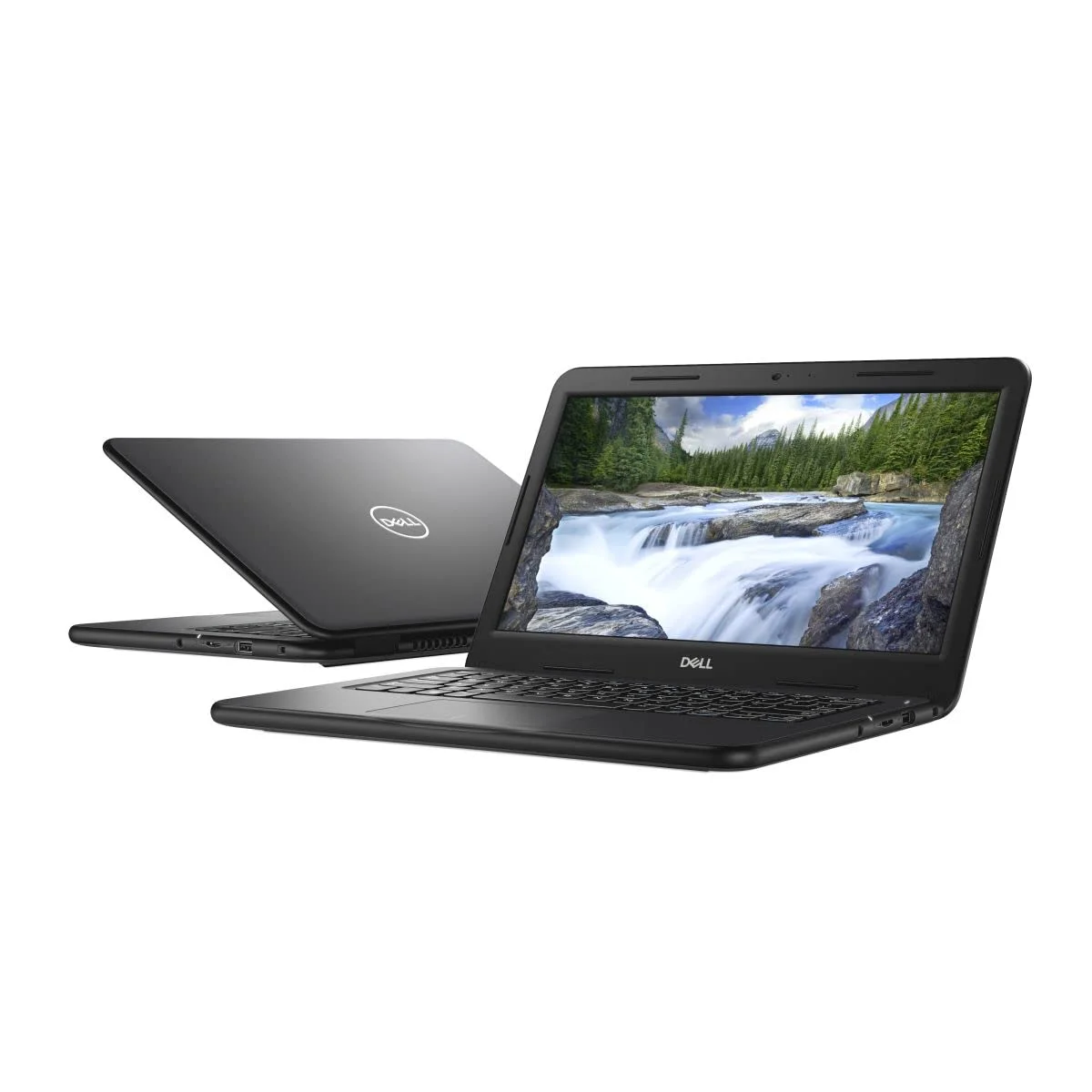
The Dell Latitude 3300 is a compact 13.3-inch business laptop with an 8th Gen Intel Core processor, a sturdy build and a full set of ports. It suits students, freelancers, office staff and remote workers in Pakistan who want a reliable, portable laptop for daily work without paying for a new premium ultrabook. You can buy it from IT Online.
Dell Latitude 3300 Overview
Dell’s Latitude series is made for business users, and the Latitude 3300 is its entry-level 13-inch model. It is light enough to carry every day and tough enough to survive busy commutes, university bags and long office hours.
For buyers in Pakistan, the practical appeal is simple: you get a business-class laptop with a familiar brand name, easy-to-find spare parts and solid after-sales support. Reliability matters a lot when your laptop is your main earning tool.
Dell Latitude 3300 Specifications
Configurations vary by unit, so always check the exact specs on the IT Online product page before ordering. Typical specifications include:
| Feature | Details |
| Display | 13.3-inch (HD or Full HD, depending on the configuration) |
| Processor | 8th Gen Intel Core i3 / i5 |
| Graphics | Intel UHD Graphics 620 |
| Memory | DDR4 RAM (upgradable) |
| Storage | SATA or M.2 SSD options |
| Ports | USB 3.1, USB-C, HDMI, SD card reader, audio jack, Ethernet |
| Wireless | Wi-Fi and Bluetooth |
| Weight | Roughly 1.5 kg |
| OS | Windows 10 / Windows 11 compatible |
Design and Build Quality
The Latitude 3300 follows Dell’s business design: a clean, matte-black finish with no flashy extras. The body feels solid, and the hinge and keyboard deck hold up well to daily use.
At about 1.5 kg and with a 13.3-inch footprint, it slips easily into a backpack or laptop sleeve. That makes it a good fit for students traveling between campus and home, or for professionals moving between meetings.
Having a full set of ports is a real advantage. Many modern thin laptops drop HDMI, Ethernet and SD card slots. The Latitude 3300 keeps them, so you can connect to a projector, a wired network or a camera card without carrying adapters.
Display Quality
The 13.3-inch screen is well suited to documents, spreadsheets, browsing and video calls. Models with a Full HD panel give sharper text and more working space, which helps if you spend hours in Excel, Google Docs or design tools.
The anti-glare finish is a useful feature in bright rooms and offices. It is not an OLED or a high-color-accuracy display, so professional photo and video editors will want a different machine. For everyday office and study work, it does the job well.
Performance
The 8th Gen Intel Core i3 and i5 processors in the Latitude 3300 handle everyday multitasking comfortably. Expect smooth performance with:
- Microsoft Office, Google Workspace and PDF tools
- Dozens of browser tabs and Zoom or Google Meet calls
- Online classes and e-learning platforms
- Light graphic design in tools like Canva
- Video streaming and general entertainment
With 8GB of RAM and an SSD, boot times and app launches are fast. If you can, choose a unit with at least 8GB of RAM, as it makes a clear difference when you run several apps at once.
This is not a gaming or heavy 3D laptop. Intel UHD 620 graphics are built for productivity, not demanding games or professional rendering.
Keyboard and Trackpad
Latitude keyboards are known for comfortable key travel, which makes long typing sessions easier. This helps writers, data-entry professionals, students and customer support teams. The trackpad is accurate and responsive for everyday navigation, though many users will still prefer a mouse for long work sessions.
Battery Life
Battery life depends on the unit’s age and condition, so check this before you buy. A healthy battery in a Latitude 3300 can typically get you through several hours of light work, which is useful during load-shedding or when working away from a desk. IT Online can help you check battery condition before you order.
Pros and Cons
Pros
- Durable, business-grade build
- Light and portable 13.3-inch design
- Full port selection, including HDMI and Ethernet
- Fast 8th Gen Intel performance for everyday tasks
- Comfortable keyboard
- Good value compared with new laptops
- Upgradable RAM and storage
Cons
- Not suitable for gaming or heavy video editing
- Integrated graphics only
- Display is not designed for color-critical work
- Battery life varies by unit
Who Should Buy the Dell Latitude 3300?
The Latitude 3300 is a smart choice for:
- Students who need a lightweight, reliable laptop for assignments and online classes
- Freelancers working in writing, virtual assistance, SEO, customer support or admin
- Office professionals who need a dependable machine for daily business tasks
- Remote workers who want a portable laptop with all the ports they need
- Small business owners looking for a cost-effective Dell laptop for their team
Why Buy from IT Online?
IT Online is a trusted laptop seller in Pakistan, offering quality business laptops at competitive prices. Buying from a dedicated laptop reseller means you can compare configurations, ask about the condition of your unit and get guidance on the right specs for your budget. Check the current price and availability of the Dell Latitude 3300 on the IT Online website.
Final Verdict
The Dell Latitude 3300 delivers what most Pakistani laptop buyers actually need: a portable, tough and dependable machine for everyday work, study and online meetings. It will not replace a gaming laptop or a creative workstation, but as a practical business laptop it is hard to beat for the price.
If you want a trusted Dell laptop for office or study, the Latitude 3300 from IT Online is well worth considering.
Dell Latitude 3300 FAQs
Is the Dell Latitude 3300 good for students in Pakistan?
Yes. It is light, durable and fast enough for online classes, assignments, research and presentations. Its full port selection also makes it easy to connect to projectors and external drives.
What processor does the Dell Latitude 3300 have?
It is typically available with 8th Gen Intel Core i3 or i5 processors. These handle everyday multitasking, office software and web browsing smoothly. Check the product page for the exact processor in your unit.
Can the Dell Latitude 3300 run Windows 11?
Many 8th Gen Intel Core systems support Windows 11, but support can depend on the specific configuration and BIOS. Check with IT Online about the exact unit you are buying.
Can I upgrade the RAM and storage on the Dell Latitude 3300?
Yes. The RAM and storage are upgradable, so you can improve performance later by adding more memory or a larger SSD.
Is the Dell Latitude 3300 good for gaming or video editing?
No. It uses integrated Intel UHD graphics, which are designed for office work, browsing and media playback, not for heavy gaming or professional video editing.
