
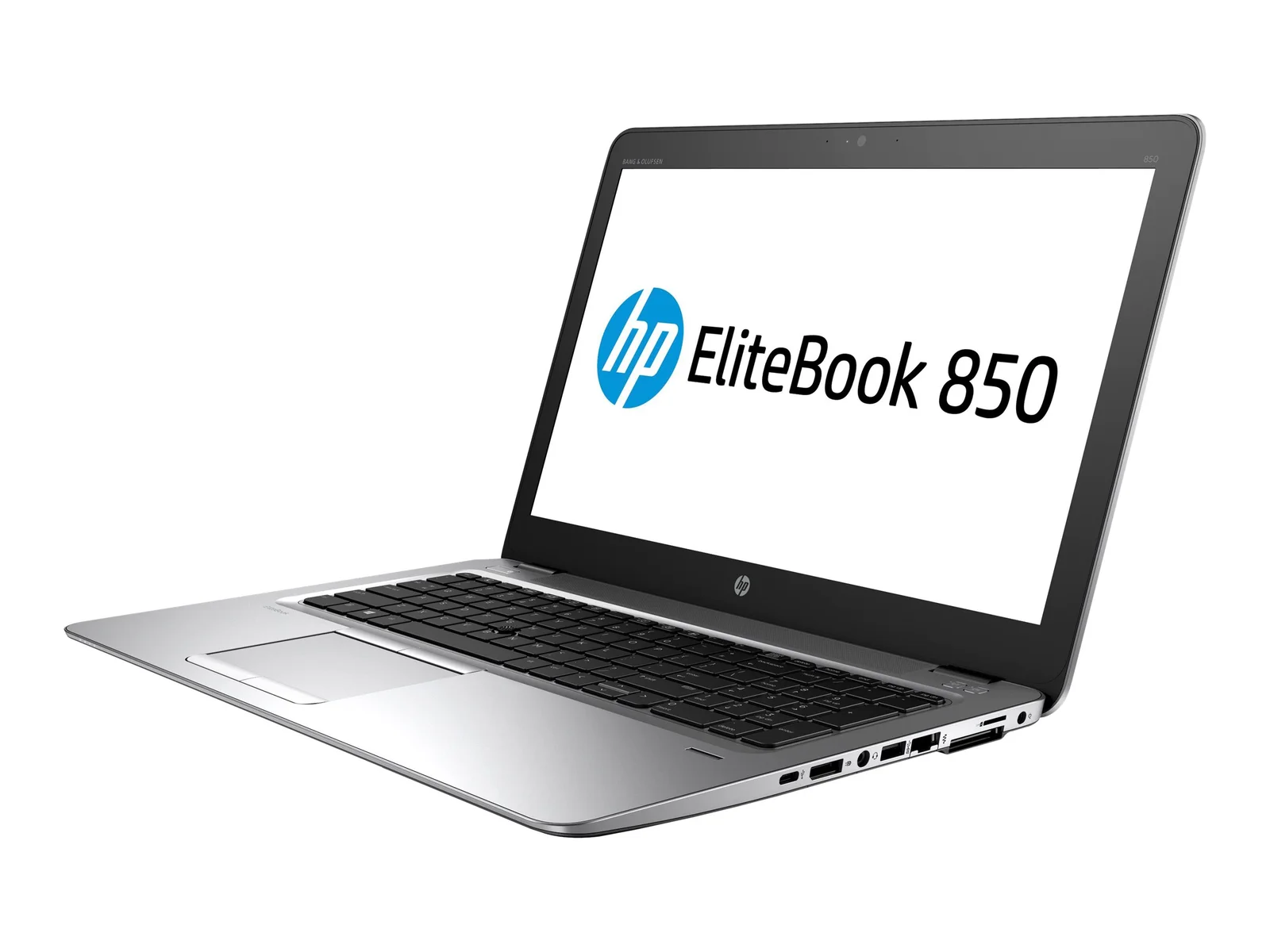
If you’re hunting for a dependable business laptop in Pakistan without spending six figures, the HP EliteBook 850 G3 keeps showing up in used and refurbished listings — and for good reason. Built for corporate users when it launched, this 15.6-inch workhorse still holds up nicely for everyday office work, browsing, and light multitasking. Here’s a full breakdown of its specs, real-world performance, and what it’s worth in today’s Pakistani market.
Browse the full lineup of 6th Generation laptops at IT Online to see current EliteBook 850 G3 stock and pricing.
HP EliteBook 850 G3 — Full Specifications
| Component | Details |
| Processor | Intel Core i7-6600U or i7-6500U (6th Gen “Skylake”), 2 cores / 4 threads, up to 3.4 GHz Turbo |
| Graphics | Intel HD Graphics 520 (integrated); some variants add an AMD Radeon R7 M350 2GB discrete GPU |
| Display | 15.6″ FHD (1920×1080) or HD (1366×768), depending on configuration |
| RAM | 8GB or 16GB DDR4 (expandable up to 32GB) |
| Storage | 256GB or 512GB SSD (M.2 PCIe), some units pair an SSD with a secondary SATA HDD bay |
| Battery | Up to 4–6 hours depending on unit health and usage |
| Ports | USB 3.0, USB Type-C, DisplayPort, RJ-45 LAN, SmartCard reader, 3.5mm audio jack |
| Build | Business-grade chassis, backlit keyboard, HP Clear Sound audio, dual-array microphones |
| OS | Windows 10 Pro (upgradable to Windows 11 on supported units) |
| Weight | Roughly 1.8–2.0 kg |
Performance: What Can You Actually Do With It?
The Core i7-6600U is a low-power (“ULV”) chip, not a desktop-class processor — but it’s more than capable for the tasks most people actually need a laptop for:
- Everyday office work: MS Office, browsers with dozens of tabs, video calls, and email run smoothly, especially on the 16GB RAM + SSD configuration.
- Light content work: Basic photo editing, spreadsheets with heavy formulas, and coding in lightweight IDEs are handled comfortably.
- Not built for: Modern AAA gaming or heavy video rendering — the integrated Intel HD 520 graphics (or the optional Radeon R7 M350 on some units) is fine for casual use, not demanding workloads.
The SSD is what makes the biggest difference day-to-day — boot times and app launches feel snappy even though the CPU generation is a decade old.
Build Quality and Design
This is where the EliteBook line earns its reputation. It’s a genuinely business-rugged laptop: reinforced chassis, spill-resistant keyboard, a backlit keyboard for low-light use, and a fingerprint reader or SmartCard slot on many units for enterprise security. It’s not the slimmest or lightest 15.6″ laptop around, but it feels solid — not something that flexes or creaks under normal use.
Battery Life
Battery performance varies a lot in the used-laptop market since it depends on how heavily the original battery was cycled. On a healthy battery, expect 4–6 hours of mixed use (browsing, office apps, occasional video). Buyers should always ask sellers for battery health/cycle count before purchase — a well-maintained refurbished unit can still deliver solid battery performance.
HP EliteBook 850 G3 Price in Pakistan
Prices vary depending on RAM, storage, screen resolution, and seller condition grading, but used/refurbished units in Pakistan generally fall in this range:
- Core i5 6th Gen configs: Roughly PKR 50,000–65,000
- Core i7 6th Gen configs (8GB/256GB): Roughly PKR 60,000–75,000
- Core i7 6th Gen configs (16GB/512GB, FHD): Roughly PKR 75,000–100,000
Prices fluctuate with USD/PKR exchange rates and import costs, so it’s worth confirming current pricing directly with the seller before ordering. Check current 6th Gen laptop deals on IT Online for up-to-date stock and pricing, or contact IT Online directly for a specific configuration.
Pros and Cons
Pros
- Strong, business-grade build quality
- SSD storage on most units means fast day-to-day performance
- Backlit keyboard, good port selection (including USB-C and DisplayPort)
- Significantly cheaper than a new business laptop
- Widely available in Pakistan with local sellers offering warranty/check periods
Cons
- 6th Gen CPU is dated — not ideal for gaming or heavy multitasking
- Battery life depends heavily on the individual unit’s history
- Some listings have lower-res HD (1366×768) screens rather than FHD — check before buying
- Integrated graphics only on most configurations
Who Should Buy the HP EliteBook 850 G3?
This laptop makes the most sense for students, office workers, and small businesses who need a reliable machine for documents, browsing, and video calls without paying new-laptop prices. If your work involves gaming, video editing, or heavy multitasking, it’s worth stepping up to a newer generation.
Related Products at IT Online
- Need a spare or replacement battery? Browse HP laptop batteries, including EliteBook 850 G3-compatible options.
- Looking at other generations? Compare with the 7th Generation laptops or 8th Generation laptops collections.
- Need a charger, bag, or other accessory? Check laptop chargers and laptop bags.
- For more buying guides, visit the IT Online blog.
Further Reading
- HP EliteBook 850 G3 official datasheet (HP) — full manufacturer specifications
- HP EliteBook 850 G3 in-depth review (Notebookcheck) — independent benchmarks and testing
Frequently Asked Questions
Is the HP EliteBook 850 G3 good for office use in 2026? Yes. With an SSD and 8GB+ RAM, it comfortably handles Office apps, browsers, and video calls, which covers most day-to-day office needs.
Does the HP EliteBook 850 G3 support Windows 11? Officially, 6th Gen Intel CPUs are below Microsoft’s minimum requirements for Windows 11, though some users install it via workarounds. Windows 10 Pro remains the fully supported option.
What’s the difference between the i7-6500U and i7-6600U versions? The i7-6600U runs at a slightly higher base and boost clock (2.6 GHz base, up to 3.4 GHz) compared to the i7-6500U (2.5 GHz base, up to 3.1 GHz). In real-world use, the difference is minor.
Is it worth buying a used HP EliteBook 850 G3 in Pakistan? For the price, yes — as long as you buy from a seller offering a check/warranty period and confirm RAM, storage, screen resolution, and battery health beforehand.
How much RAM and storage should I choose? For general office use, 8GB RAM and a 256GB SSD are enough. If you multitask heavily or plan to keep the laptop for years, go for the 16GB/512GB configuration.
